

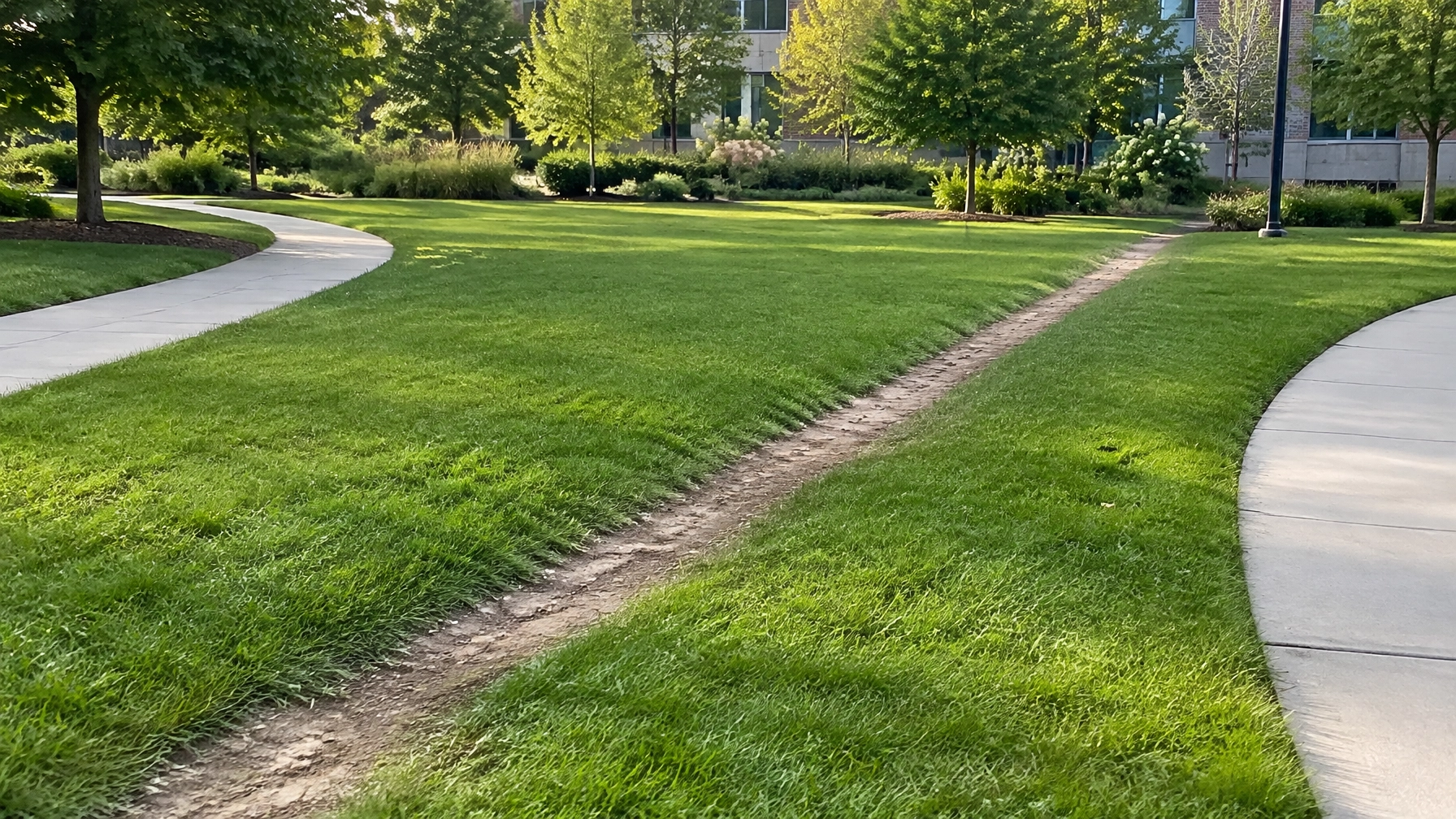
Have you ever cut across a college lawn because the sidewalk took the long way around? The shortcut gets worn into the grass, day after day, because it’s the easier route.
The university has two honest choices: pave the path or plant grass on it. What it cannot do is pretend the path isn’t there, or put up a sign asking people to stop using it.
A worn path is not a discipline problem. It is a design complaint.
Does your business have one? Maybe it runs through the invoicing, a customer handoff, or the way someone finds the latest price. Process documentation can help you see the path clearly, but first, you have to notice that people are already taking it.
The numbers point to a familiar problem
Smartsheet’s January 2026 operational excellence report surveyed 1,550 operations professionals in September and October 2025. It found that 76% say their organization relies on workarounds because tools and processes cannot keep pace with changing business priorities.
The same report found 71% say outdated tools and manual processes hinder progress, while 99% spend time on repetitive, low-value tasks each week. That’s time spent going around the sidewalk instead of getting work done on the direct route. Read Smartsheet’s report findings.
The pattern shows up around software, too. JumpCloud’s SME IT Trends survey found that 58% of IT admins have discovered applications used by employees that IT does not officially manage. Another 60% estimate employees use six or more unauthorized applications, and 38% say they cannot discover all the applications in use. See the JumpCloud SME IT Trends report.
These findings don’t say that every workaround is a crisis. They do show how often people create their own routes when the official one doesn’t fit.
Your workaround may look perfectly ordinary
It may be the real invoice tracker in someone’s personal OneDrive, sitting next to the official tracker nobody updates. It may be a customer list in a spiral notebook, or a 4:30 PM copy-and-paste routine between two systems that don’t talk.
Sometimes it’s an email folder serving as the filing system. Sometimes it’s “just ask Denise, she knows which account” as the actual routing protocol. A text thread might be the scheduling system, and a pricing sheet might live on one desktop.

None of these is automatically proof that someone is careless. Often, it’s proof that a person found a way to get the work done despite the official process.
That distinction matters. A workaround is rarely carelessness. It’s a design complaint, delivered through someone’s daily behavior.
The cost is more than a messy folder
The cost starts with double entry: a person updates the shadow spreadsheet, then tries to remember to update the official one. It continues with re-keying, re-asking for information, checking which version is current, and explaining the same details whenever work changes hands.
That repeated effort is a handoff tax. A task that feels simple while one person owns it can slow down when someone else needs to pick it up.
Try the vacation test. What happens if the person who built the workaround is out for two weeks?
If the honest answer includes “she usually handles that,” you don’t have a process. You have a person doing an impression of a process.
That person may be careful, experienced, and generous with their time. They may remember which file is current, which customer needs a different invoice, and which step everyone skips because it never works as written. But that knowledge is still held by one person, not owned by the business.
And that makes ordinary changes harder. A planned absence, a busy week, or a handoff can turn a familiar task into a scramble. The problem isn’t that someone failed to write a manual. The problem is that the business is depending on a route that only one person can explain.
There’s a security edge, too
Workarounds can skip controls by design. The person solving the immediate problem may not be thinking about where a file lives or who else can open it. A personal account holding client records, a link set to anyone with the URL, or an app nobody vetted can turn an operational shortcut into a security concern.
Most workarounds aren’t rebellion. They’re improvisation under a deadline, and blaming the person who built one is the fastest way to never hear about the next one. If a workaround touches files or accounts, it may also be worth reviewing your cyber security solutions for small business and cloud services alongside the process itself.
Find the dirt paths without launching a big project
You don’t need a committee or a binder to start. Ask each person who does the work:
- What do you do twice?
- What do you keep outside the system?
- What did you build yourself?
Then try the walk-the-path exercise: spend thirty minutes sitting beside someone as they work. Watch without interrupting. Say nothing.
You may see an extra copy, a private note, or a quick message that fills a gap in the official process. You may also see that the official way is fine for most tasks, but not for a particular exception.

That’s useful information. If a workaround involves a separate app or account, it could be shadow IT, meaning technology employees use outside the tools officially managed by the business. The point is not to ban everything people find helpful. It’s to understand what need the tool or shortcut is meeting.
You can review a related discussion of workflow automation for St. Louis small businesses, but this isn’t a pitch to automate every step. First, find out why the extra step exists.
Choose what happens to each path
Back at the lawn, you have three choices: pave the path, plant grass on it, or put up a sign. In your business, the equivalent is straightforward.
Pave it: Change the tool or setup so the good path is also the easy path. If people keep building a separate invoice tracker, review whether the official system supports the information and view they need.
Plant grass on it: Remove the step entirely. If nobody needs to copy information between systems once a customer record is updated correctly, stop asking people to do the copy.
Put up a sign: If the step has to stay, write it down and give it an owner. That way, the business owns the process instead of leaving it in one employee’s head.
That’s where process documentation earns its keep. Keep it short and useful. It needs to say:
- What starts the process.
- What steps to take.
- Where the data lives.
- Who owns the process.
- What “done” looks like.
Keep that guidance where the work happens, not in a binder nobody opens.
One caution before you start writing: don’t try to document everything. Pick the two or three processes where a two-week absence would hurt the most, write those down first, and leave the rest for another month. A handful of pages people actually open beats a perfect binder nobody reads.
If the process involves technology or a changing set of tools, a managed IT services review can help you assess whether the systems support the way your team actually works, and it’s worth knowing why choose managed IT before you hand any of it to a provider. Any real business process improvement effort starts with the real path, not with a guess about how people should work.

The same pattern can show up around St. Louis
Picture a generic Clayton professional services office where the real client-status tracker is a spreadsheet a paralegal built years ago. Or a St. Charles County distributor where the whiteboard is the inventory system people trust, even though another tool is supposed to hold the records.
A Chesterfield practice might discover its recall list lives in one person’s inbox. An O’Fallon or Metro East shop might find that the person who knows the part numbers is effectively the whole system.
These are examples of what a team might uncover, not reports about specific businesses. The lesson applies across St. Louis and Missouri: when the useful path is unofficial, that’s a reason to examine the process, not blame the person who made it work.
For a business looking at St. Louis IT consulting, the conversation shouldn’t stop at which tool to buy. It should include how your people use the tools you already have, where work gets repeated, and what knowledge needs to be shared so a handoff doesn’t depend on memory.
And if your team has already talked about work slipping later into the day, you may recognize a related concern in why your team’s real work keeps sliding to 9 PM. Here, the focus is narrower: the unwritten route that makes a task possible in the first place.
Don’t mistake the path for the person
The worn dirt path across the college lawn tells you something useful: people are choosing the route that works for them. Your business’s workaround tells you the same thing.
Pave the path if the better route is a tool change. Plant grass if the step serves no purpose. Put up a sign if the step needs to stay, by writing it down and giving it an owner. But stop pretending the path is not there.
Platinum Web Services provides IT support for small business, managed IT services, and process and system review, including support for organizations seeking St. Louis IT consulting and practical process documentation. Our business hours are 24/7, including 24/7 support for IT emergencies.
To talk with Platinum Web Services, visit our contact page or email support@platinumwebservices.net.
Accuracy note: This article is general information, not legal advice. The survey figures describe respondents’ own reporting, and every business’s tools and obligations differ.
0 Comments